Have you ever had a question "What is my face shape"? Here is the answer... Face Shape Meter, a simple and easy tool for identifying your face shape from your picture, has been recently published on the App Store. This app will help you to find out your face shape quickly, without using any additional measurement tools and techniques. Knowing your face shape can be useful in many different areas. For example, you would need to know your shape of face for finding “the right” haircut or hairstyle, sun glasses that fit you well, the best makeup for your face, or even wig or hat that suits you best. How it works:
make or upload picture
outline / measure your face with special contour as shown on screenshots
press Show Face Shape button and see the result
Tips:
For best result use a picture with neutral face expression, where your head is directed straight to the camera. Turning your head might affect the final result.
Before measurements make sure your hairline is visible
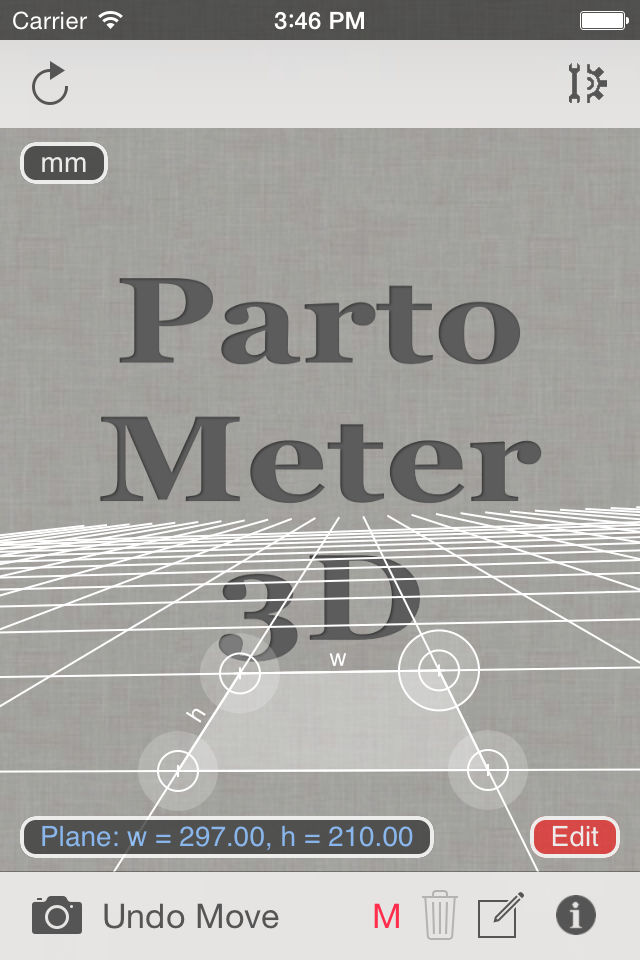
The first version of Partometer3Dapp for iOS is now available on the App Store. The main goal of this app is to perform measurements on pictures taken from any view angle (parallel or not parallel to a camera). Please check this presentation for more info. The app also allows users to do measurements on stretched pictures. The app requires to set a measurement plane using any rectangular object of known size or w/r ratio.
If W/H Ratio option is used for setting the measurement plane, additional Reference Object Length (ROL) has to be used to set a scale of this plane. See an example of using W/R ratio and ROL for measurements in our previous post about Partometer3D on Android.
The following video is a short demonstration of measurements with Partometer3D and accuracy test for length, angle, circle diameter values:
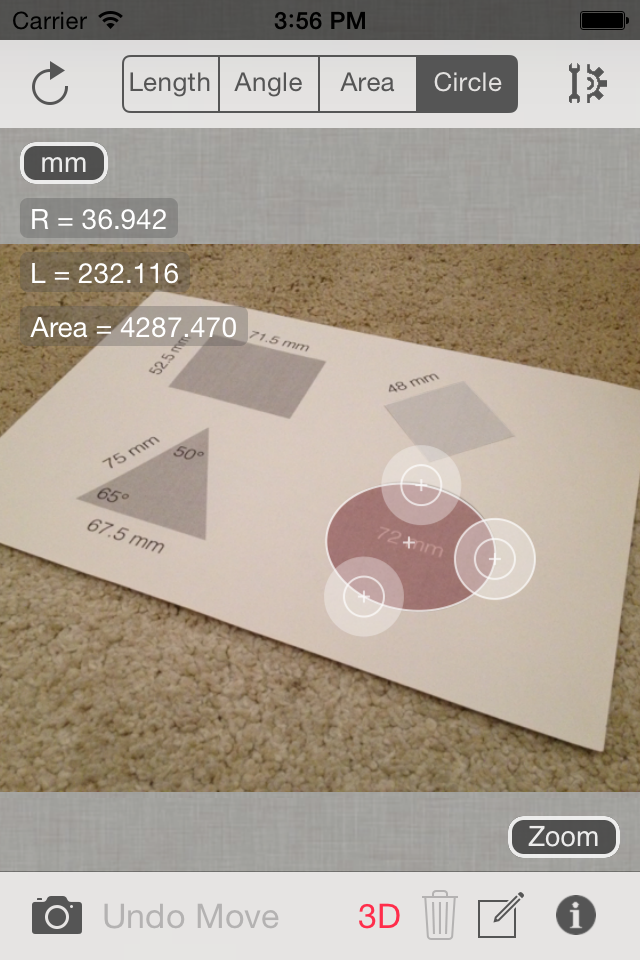
In the demo video A4 sheet is used to define the measurement plane. Width of the sheet is measured in the Length Mode to see the measurement accuracy in this plane. Then Angle Mode demonstrated with angle and sheet sides measurements. Diameter of a circle (72 mm) is measured in the Circle Mode using special 3-point ruler for bounding circular objects in the plane.
If you have questions about the app or have improvement suggestions, we will be glad to hear from you in comments below or by e-mail.
Partometer update v1.4 brings the ability to measure angles with two separate rulers. It can be useful for measurement of angles that are not visible or partially visible on a picture. Also it comes handy for pipe bend measurements as shown in the picture. How it works: - go to Settings - activate Independent Rulers in Angle Mode and Save - move each edge of the angle independently - see Angle =... result even if measured angle is not visible on the screen.
Important condition for accurate measurements here is to keep object plane parallel to the camera plane to avoid picture distortion.
This video from Android version of the app demonstrates the idea of angle measurements with independent rulers:
Let us know if you have any suggestions or comments:
With new bigger screens you can do accurate measurements in wider range and use your device in real life situations to measure small objects, jewelry and ring, TPI and pitch size, to check dimensions of your Passport or Visa photo, to visualize size in mm or inches if you are not familiar with these units, etc
With Millimeterand Millimeter Pro applications for Android and iOS you can make quick estimation of length, width, radius and area of small objects and parts if you don't have a ruler at hand. Millimeter Pro version can be also used as Thread Pitch Gauge. More info...
This video demonstrates how to manage your measurements using Save and Open features in recently released Planimeter - GPS Area Measure app on iOS.
This functionality is very useful not only for saving your area and distance measurements but also can be very handy for storing your favorite locations to visit later again or to map an initial spot you want come back to (e.g. to find your car, property, house, park, tent, tree, etc.)
Planimeter - GPS Area Measure is our mobile application for different land measurements on maps using Geo-coordinates, Satellite view with manual touch or GPS tracking. The app can be applied in such areas as farming, road building and repairing, construction and planning, solar panel installation, real estate business, hiking and travel and many others.
We have had many requests from users about developing iOS version of our popular map measurement app - “Planimeter - GPS area measure”. The app has been available on Android platform for some time and received very positive feedback.
This version of the app is not exact copy of the Android tool in terms of functionality. Android version of Planimeter has evolved over time (with kind help, feedback and suggestions from the app users) from a simple tool for manual distance estimation on Google Maps to the tool with many handy features used by professionals on a daily basis. The first iOS version of the app uses Apple Maps and already offers plenty of features for comfortable and productive work:
Accurate distance and area calculation
Metric and Imperial units (m, km, feet, yards, miles, ha, acres)
Angle between lines
Bearings To and From selected point
Forth and Back navigation through points by touch on Info Panel
You can read our recent post, Measurements on Google Maps using Planimeter App, about Android version that gives a good overview of the app, its applications and user experience with the app. We hope the app will also be useful for iOS users.
Here is an example how you can quickly estimate area on the map in manual mode:
We would appreciate any feedback, early bug reports and improvement suggestions from you. Please contact us at support@vistechprojects.com.




 Latest "Millimeter - screen ruler" update v1.1.5 adds iPhone 6 and iPhone 6 Plus support.

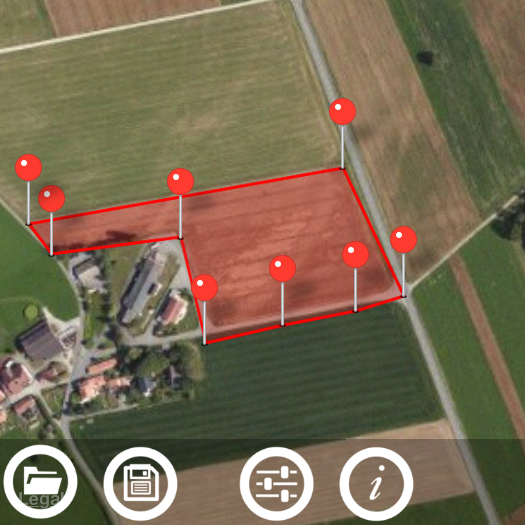 This video demonstrates how to manage your measurements using Save and Open features in recently released Planimeter - GPS Area Measure app on iOS.


