Translate

Saturday, March 26, 2016

What is my face shape? Face Shape Meter app released for Android.


Face Shape Meter, a simple and easy tool for detecting your face shape from a picture, has been released on Android OS and available on Google Play.

This app will help you to find out your face shape quickly, without using any additional measurement tools and techniques. 


In the app you have options to take picture with front/rear camera or upload face picture from a gallery. For accurate contour adjustment you can zoom in picture as shown on the screenshot above. 

Zooming and dragging of the face contour, and also Undo/Redo and Reset actions make face outlining easy and quick. Also you have an option to share a screenshot with your face shape result.

The app released as  free app with ability to upgrade to full version. In the free version you will be able to run and test the app on your device, work with face contour, see help. 

You can get time limited access to the full version, if you use our promotional offer available in the app.

How it works: 
  1. make or upload picture 
  2. outline / measure your face with special contour as shown below 
  3. press Show Face Shape button in the middle and see the result

Also see Help in the app for other details and app control description.


Tips: 
For best result use a picture with neutral face expression, where your head is directed straight to the camera. Turning your head might affect the final result. Before measurements make sure your hairline is visible.

Thank you for your interest in our apps and please feel free to contact us with any questions or suggestions.


SolarMeter Android app on Google Play

Friday, March 4, 2016

[iOS] Spotlight on Picture - simple tool for highlighting details on photos and sharing your notes quickly.


New app for iPhone and iPad Spotlight on Picture is available in the App Store.


It's a simple tool for taking a picture with highlighting and focusing on specific details. You can quickly add a note to the picture and share it from the app with one touch.

How to use


Tuesday, February 23, 2016

[iOS] Face Shape Meter app updated with share option.


Face Shape Meter  has been updated with new features and improvements based on users feedback - version 1.0.6 is available on the App Store.

Now the app includes short guide with instructions how to outline your face properly. Also share button at the bottom right corner of the "Your Face Shape" view will allows you to share the screenshot with your results via e-mail or other suitable apps.

Let us know if you have improvement suggestions or feature requests.


Friday, January 8, 2016

What is my face shape?

Have you ever had a question "What is my face shape"? Here is the answer...
Face Shape Meter, a simple and easy tool for identifying your face shape from your picture, has been recently published on the App Store

This app will help you to find out your face shape quickly, without using any additional measurement tools and techniques.

Knowing your face shape can be useful in many different areas. For example, you would need to know your shape of face for finding “the right” haircut or hairstyle, sun glasses that fit you well, the best makeup for your face, or even wig or hat that suits you best.
How it works: 

  1. make or upload picture
  2. outline / measure your face with special contour as shown on screenshots
  3. press Show Face Shape button and see the result


Tips:
  • For best result use a picture with neutral face expression, where your head is directed straight to the camera. Turning your head might affect the final result.
  • Before measurements make sure your hairline is visible


Saturday, December 5, 2015

[iOS] Partometer3D - camera tool for measurements on photos.

The first version of Partometer3D app for iOS is now available on the App Store. 

The main goal of this app is to perform measurements on pictures taken from any view angle (parallel  or not parallel to a camera). Please check this presentation for more info. 

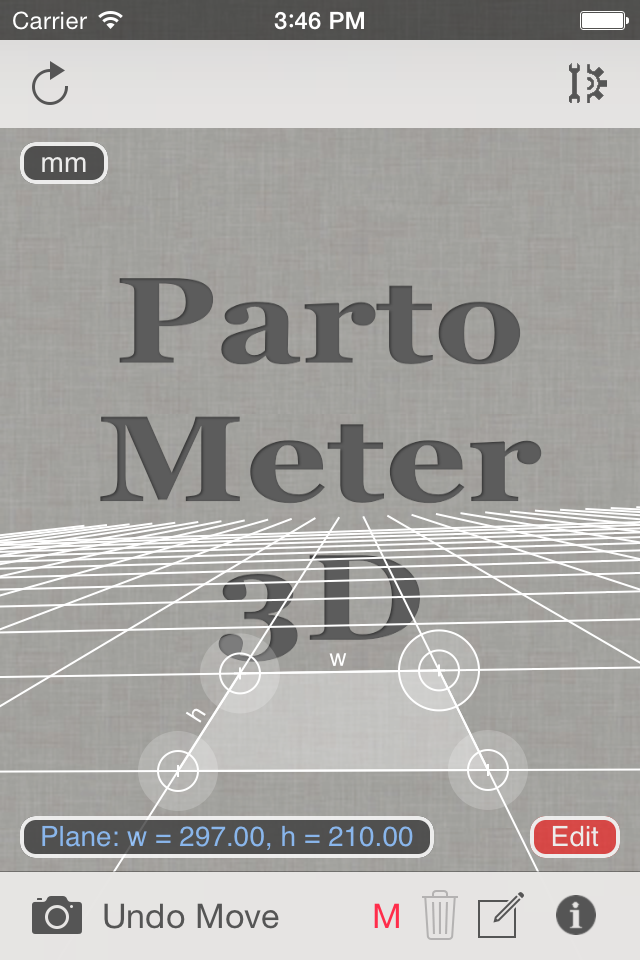
The app also allows users to do measurements on stretched pictures. The app requires to set a measurement plane using any rectangular object of known size or w/r ratio. 


If W/H Ratio option is used for setting the measurement plane, additional Reference Object Length (ROL) has to be used to set a scale of this plane. See an example of using W/R ratio and ROL for measurements in our previous post about Partometer3D on Android.

The following video is a short demonstration of measurements with Partometer3D and accuracy test for length, angle, circle diameter values: 


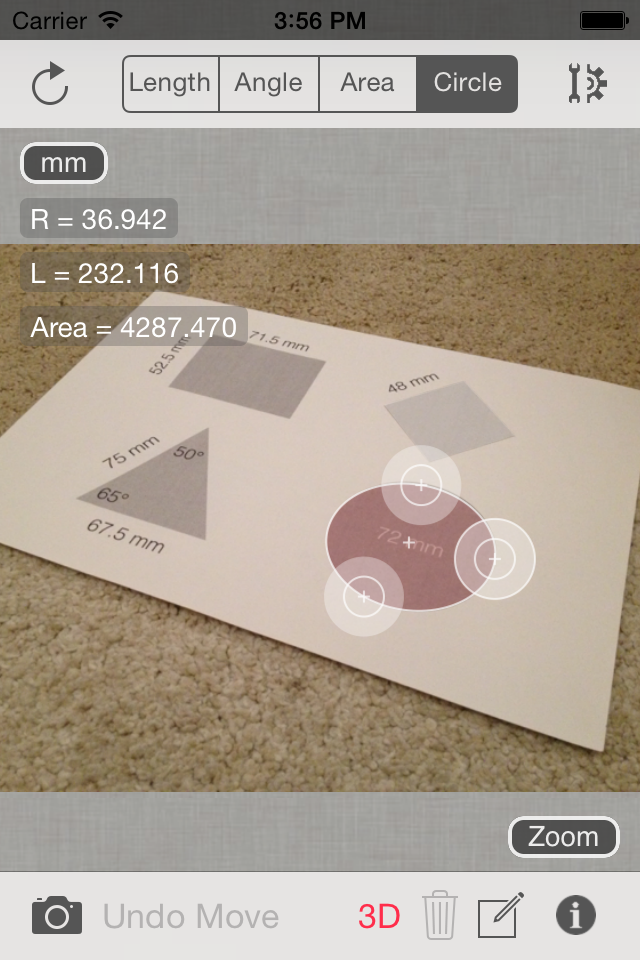
In the demo video A4 sheet is used to define the measurement plane. Width of the sheet is measured in the Length Mode to see the measurement accuracy in this plane. Then Angle Mode demonstrated with angle and sheet sides measurements. Diameter of a circle (72 mm) is measured in the Circle Mode using special 3-point ruler for bounding circular objects in the plane. 

If you have questions about the app or have improvement suggestions, we will be glad to hear from you in comments below or by e-mail.


SolarMeter Android app on Google Play